Hello, HarmonyOS!
December 26, 2025
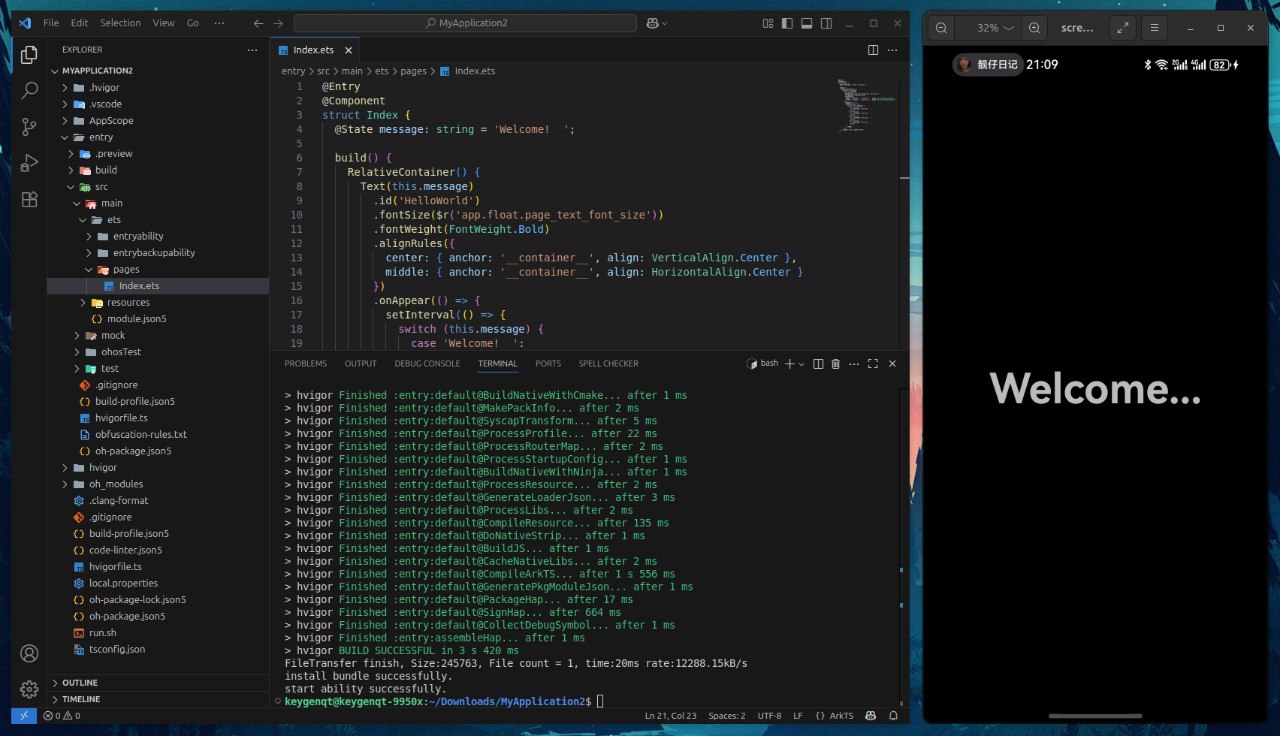
First off, I registered on HUAWEI Developers to get DevEco Studio. You can't just go and download it – registration is mandatory. When I got to the download page, I was really surprised by the lack of a Linux version – my main OS for work. If you don't have another OS, you can still work on Linux by installing the Command Line Tools and the ArkTS plugin in Visual Studio Code:
But I decided not to create unnecessary complications. For me, the OS isn't a problem. I sometimes write projects for Windows and macOS (Windows only if forced). So I just installed the macOS version (aarch64) and... was surprised for the second time. No emulator. It seems like it exists, but I read that the emulator is only available in the Asia-Pacific region. No big deal, I have a solution for this case too – I had previously purchased a Mate 70 Pro with HarmonyOS NEXT in Shanghai. I won't go into how to install the IDE, it's standard.
Wish list
What kind of app can you write to try out the maximum number of platform concepts without delving too deep into development nuances and infrastructure? I recently moved from GitHub to GitCode and wanted to get to know this service better. GitCode has a REST API that can be used in the app – HTTP requests are there. For GitCode OAuth, we need to pass secret keys to the app. I prefer doing OAuth through the browser – it gives the user maximum usability; for this, we need a Deeplink. To save the user's token, we need encryption, data storage, obfuscation. GitCode users have repositories, so that's a list, pagination, refresh. To study data state management, let's add a repository page – update the page, data changes in the list. Even better when there's data editing, then states need to be passed down the stack: edit -> view -> list, and it's also a form with fields, validation, and sending data to the server. I also really wanted tabs in the navigation, I'm an artist, that's how I see it.
The wish list is formed. When I was forming it, I didn't yet know what awaited me, but hoped for the best. Jumping ahead, I'll say that I managed to implement it completely without major problems.
Create
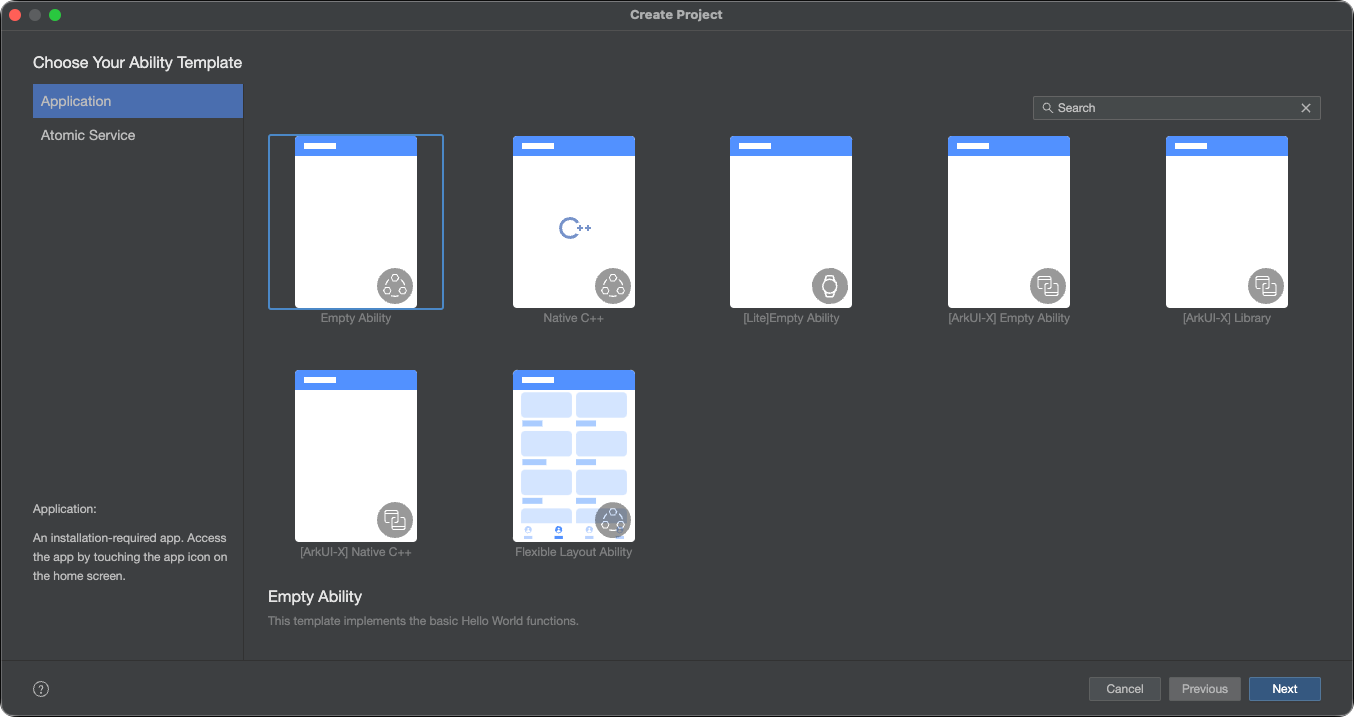
Opening DevEco Studio, you can create a project. As I understand, DevEco Studio is a fork of JetBrains IDEA Community Edition, modified for working with ArkTS/ArkUI. In general, a regular development environment with a classic interface. I choose Application -> Empty Ability and move on:
After filling in the project configuration, I get a "Hello, world!" app. It can be built, but running it on a device won't work. You need to add signingConfigs to the build-profile.json5 file – signing the build, so it can be installed on a device. Debug or not – signing is required in any case. Getting it isn't hard – go to File -> Project Structure -> Signing Configs and authorize with HUAWEI one more time:
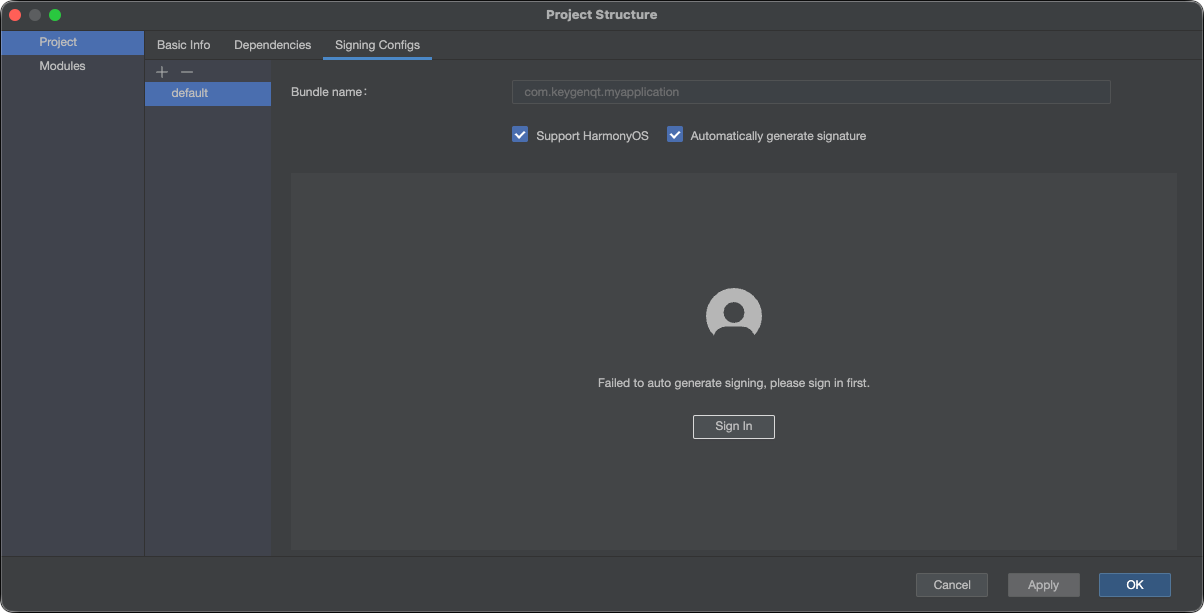
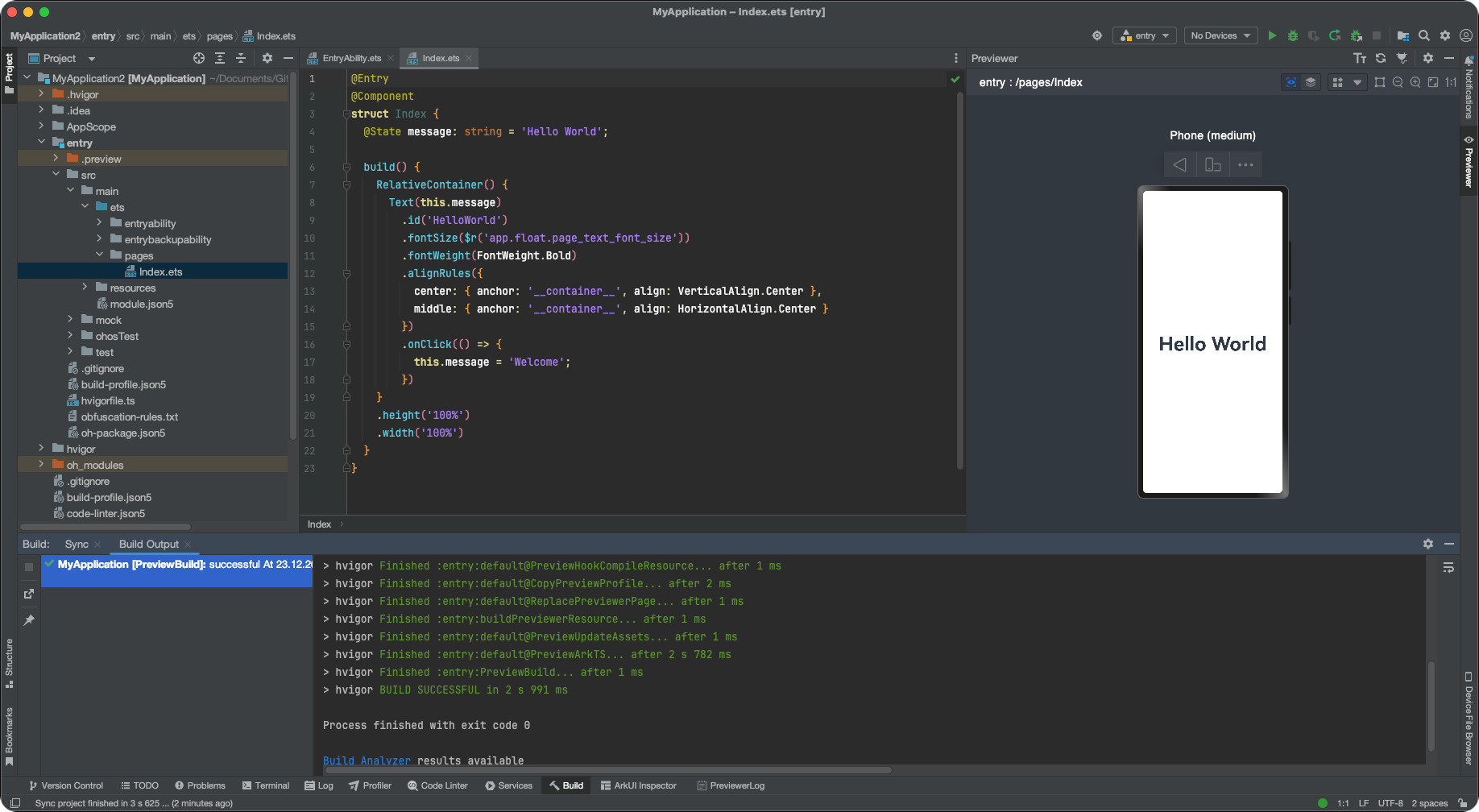
After authorization, we just need to click OK and the signingConfigs field will be filled automatically. After that, you can connect the device and click the familiar ▶ button to run the app on the device. If you don't have a device, there's a convenient Preview mode:
I don't think anything terrible will happen if you commit debug keys to git, but it's better not to. The
build-profile.json5file has many different settings and they can't be removed via.gitignore. I didn't do anything about it, but it can be fixed with hvigor plugins.
Structure
Let's see what the app template consists of. Here's the set of files I got after creating a project from the Empty Ability template:
.
├── AppScope
│   ├── app.json5
│   └── resources
│       └── base
│           ├── element
│           │   └── string.json
│           └── media
│               ├── background.png
│               ├── foreground.png
│               └── layered_image.json
├── build-profile.json5
├── code-linter.json5
├── entry
│   ├── build-profile.json5
│   ├── hvigorfile.ts
│   ├── obfuscation-rules.txt
│   ├── oh-package.json5
│   └── src
│       ├── main
│       │   ├── ets
│       │   │   ├── entryability
│       │   │   │   └── EntryAbility.ets
│       │   │   ├── entrybackupability
│       │   │   │   └── EntryBackupAbility.ets
│       │   │   └── pages
│       │   │       └── Index.ets
│       │   ├── module.json5
│       │   └── resources
│       │       ├── base
│       │       │   ├── element
│       │       │   │   ├── color.json
│       │       │   │   ├── float.json
│       │       │   │   └── string.json
│       │       │   ├── media
│       │       │   │   ├── background.png
│       │       │   │   ├── foreground.png
│       │       │   │   ├── layered_image.json
│       │       │   │   └── startIcon.png
│       │       │   └── profile
│       │       │       ├── backup_config.json
│       │       │       └── main_pages.json
│       │       ├── dark
│       │       │   └── element
│       │       │       └── color.json
│       │       └── rawfile
│       ├── mock
│       │   └── mock-config.json5
│       ├── ohosTest
│       │   ├── ets
│       │   │   └── test
│       │   │       ├── Ability.test.ets
│       │   │       └── List.test.ets
│       │   └── module.json5
│       └── test
│           ├── List.test.ets
│           └── LocalUnit.test.ets
├── hvigor
│   └── hvigor-config.json5
├── hvigorfile.ts
├── local.properties
├── oh-package-lock.json5
└── oh-package.json5
JSON5 is an extension of the JSON file format. Convenient for configurations: you can leave comments, add trailing commas in arrays, and other conveniences.
The app is divided into: "root", "AppScope", "entry". The project root contains global project configurations. AppScope contains the app icon, its name, and main info: bundleName, versionCode, etc. entry is the main app module; there can be many such modules if desired.
The hvigor directory with the hvigor-config.json5 file is responsible for build configuration. Hvigor is the HarmonyOS build system, based on the concept of an enhanced Gradle replacement, built on TypeScript. It's not tied to the IDE, available in the Command Line Tools, so setting up CI/CD won't be a problem. hvigorfile.ts files allow customizing the build via plugins and executing tasks that need to be done before and after the build.
Build profiles are configured in build-profile.json5 files. They allow flexible build configuration for different tasks: testing, release, debug, etc.
Dependencies are added to oh-package.json5 files, both at the module level and project level. Packages for your projects can be found here: OpenHarmony Third-Party Library Repository.
Other important config files are: code-linter.json5 and obfuscation-rules.txt. Linter is responsible for static code analysis – automatically checks for errors, style mismatches, and "bad" programming practices, acting as an automatic code reviewer and editor, helping write higher quality, cleaner, and more consistent code. Obfuscation transforms program code into a convoluted, hard-to-read form that preserves the original functionality but makes analysis, understanding, and modification extremely difficult for people and automated tools.
The app code and its resources are in entry->src->main. EntryAbility.ets is the app entry point. The EntryBackupAbility.ets file can configure app data migration. Index.ets is the app page, which can be reassigned in EntryAbility.ets.
App resources: app texts, their localization, images, colors for light and dark themes, and other data are in the resources directory. Each module can contain its own set of resources, and global resources can also be placed in the AppScope directory, accessible from all modules.
To me, it's all simple, convenient, and well thought out. Everything needed to write an app is there. Let's get started.
Navigation
First, we need to figure out page navigation. I wanted tabs on the main page. The Tabs component allows implementing them:
Tabs({ barPosition: BarPosition.End }) {
  TabContent() {
    // Page 1
  }.tabBar(customTabBar({ icon: $r('app.media.icon_home'), active: this.tab === 0 }))
  TabContent() {
  // Page 2
  }.tabBar(customTabBar({ icon: $r('app.media.icon_page_info'), active: this.tab === 1 }))
}
.onSelected((index: number) => {
  this.tab = index;
})
.height('100%')
.width('100%')
.backgroundColor($r('sys.color.background_primary'))
.barBackgroundColor(Color.Transparent)
.barOverlap(true)
You can control page states via @State. The variable this.tab is added like this:
@State page: number = 1;
The customTabBar function modifies the tabs to keep the designer happy. You can't call just any functions in the UI stack. Only those marked with the @Builder annotation:
@Builder
export function customTabBar(params: CustomTabBarParams) {
  Button({ type: ButtonType.Circle }) {
    Image(params.icon)
      .fillColor(params.active ? $r('app.color.primary') : $r('app.color.btn_round_icon_fill'))
      .width(24)
      .height(24)
  }.width(40).height(40).backgroundColor($r('app.color.btn_round_background'))
}
CustomTabBarParams is a parameter class. Note that when creating your own functions, parameters passed without a class won't update after state changes in the parent component, but using a class – updates will occur. It looks like this:
class CustomTabBarParams {
  icon: ResourceStr | null = null;
  active: boolean = false;
}
In TabContent we can place our pages. I have two pages in tabs – the main page with navigation and a "settings/about" page. The second page is simple, but the main page will handle all the navigation load. The Navigation component allows implementing page navigation:
@Provide('navStack') navStack: NavPathStack = new NavPathStack()

build() {
    Tabs({ barPosition: BarPosition.End }) {
      TabContent() {
        Navigation(this.navStack) {
          // tabRepos
        }
        .title($r('app.string.app_name'))
        .mode(NavigationMode.Stack)
        .navDestination(navDestination)
      }.tabBar(customTabBar({ icon: $r('app.media.icon_home'), active: this.tab === 0 }))

      TabContent() {
      // tabAbout
      }.tabBar(customTabBar({ icon: $r('app.media.icon_page_info'), active: this.tab === 1 }))
    }
    .onSelected((index: number) => {
      this.tab = index;
    })
    .height('100%')
    .width('100%')
    .backgroundColor($r('sys.color.background_primary'))
    .barBackgroundColor(Color.Transparent)
    .barOverlap(true)
}
But it doesn't know about tabs. That is, our main page is in a tab, and when navigating through the stack, the tab will remain in place, which I didn't want. But this can be fixed:
build() {
    Tabs({ barPosition: BarPosition.End }) {
      TabContent() {
        Navigation(this.navStack) {
          // tabRepos
        }
        .title($r('app.string.app_name'))
        .mode(NavigationMode.Stack)
        .navDestination(navDestination)
      }.tabBar(customTabBar({ icon: $r('app.media.icon_home'), active: this.tab === 0 }))

      TabContent() {
        // tabAbout
      }.tabBar(customTabBar({ icon: $r('app.media.icon_page_info'), active: this.tab === 1 }))
    }
    .onSelected((index: number) => {
      this.tab = index;
    })
    .height('100%')
    .width('100%')
    .backgroundColor($r('sys.color.background_primary'))
    .barBackgroundColor(Color.Transparent)
    .barOverlap(true)
    // Change the height when the stack size changes
    .barHeight(this.navStack.size() === 0 ? null : 0.01)
    // Let's disable swipe
    .scrollable(false)
    // Let's add a height change animation
    .animation({
      duration: 200,
      iterations: 1,
      curve: Curve.Linear,
      playMode: PlayMode.Normal
    })
}
Now, when we navigate from the main page through the page stack, the tab will neatly "collapse" and only display on the main page, where in my app is the GitCode repository list. You can navigate from a page in the stack like this:
this.navStack?.pushPath({ name: Pages.repo });
Pages are constants, page names. NavPathStack allows navigation, data passing, everything needed for navigation. The Navigation component needs to specify navigation logic in the navDestination function. My function looks like this:
@Builder
export function navDestination(name: string, param: string) {
  if (name === Pages.repo) {
    PageRepo();
  } else if (name === Pages.repo_update) {
    PageRepoUpdate();
  } else if (name === Pages.user) {
    PageUser();
  } else {
    PageNotFound();
  }
}
When we call the navigation transition method, we land in this function. Process incoming parameters if necessary, and go to the desired page. Nested navigation pages get access to navigation like this:
@Consume('navStack') navStack: NavPathStack;

build() {
  NavDestination() {
    // Body page
  }.title($r('app.string.PageRepoUpdate_title')).onBackPressed(() => {
    this.navStack.pop();
    return true;
  })
}
Scaling this, you can get the navigation you need. Passing arguments via navigation fixes values; in my app, data updates on each page; to update them up the stack, I used a global UI state store.
AppStorage & PersistentStorage
AppStorage – allows using data, changing its state globally. For example, the repository list is in AppStorage, we navigated to edit a repository, updated it, and can access the list, changing data in it. Returning back through the stack, the list will be updated.
PersistentStorage is an addition to AppStorage that allows saving data locally. This isn't a database; its use isn't intended for heavy loads, but for saving a token or other small data, it's quite suitable.
To add AppStorage to a component, use @StorageLink instead of @State:
@StorageLink(Storage.repoData) repoData: RepoModel | null = null;
@StorageLink(Storage.reposData) reposData: [RepoModel] | null = null;
Here Storage are constants with names, and RepoModel is a data model that we'll later get from the GitCode API request. You can add AppStorage to any page where you need it and change their state simultaneously on all pages.
To save data, we just need to initialize PersistentStorage. In the app, I save user data and authorization data:
PersistentStorage.persistProp(Storage.authData, null);
PersistentStorage.persistProp(Storage.userData, null);
It's important to note that PersistentStorage should be initialized not just anywhere, but on the main page. But storing authorization data unencrypted is not okay. Let's encrypt it.
Obfuscation & Crypto
Obfuscation is disabled by default; it can be activated in the build-profile.json5 file:
"buildOptionSet": [
  {
    "name": "release",
    "arkOptions": {
      "obfuscation": {
        "ruleOptions": {
          "enable": true,
          "files": [
            "./obfuscation-rules.txt"
          ]
        }
      }
    }
  },
],
The obfuscation-rules.txt file allows configuring obfuscation. This reduces the risk of app hacking and obtaining secret keys used in the app. We'll need such a key to encrypt data that will be placed in PersistentStorage.
For data encryption, we can use the @ohos/crypto-js package. To do this, update dependencies in the oh-package.json5 file:
{
  "name": "entry",
  "version": "0.0.1",
  "description": "Application for HarmonyOS on ArkTS and ArkUI working with the GitCode REST API.",
  "main": "",
  "author": "Vitaliy Zarubin <keygenqt@yandex.ru",
  "license": "Apache-2.0",
  "dependencies": {
    "@ohos/crypto-js": "2.0.5"
  }
}
Add a couple of functions with which we will encrypt data:
import { CryptoJS } from '@ohos/crypto-js'
import BuildProfile from 'BuildProfile';

export function encryptData(data: string) {
  return CryptoJS.AES.encrypt(data, BuildProfile.cryptoSecret).toString();
}

export function decryptData(encryptedData: string) {
  return CryptoJS.AES.decrypt(encryptedData, BuildProfile.cryptoSecret).toString(CryptoJS.enc.Utf8);
}
And for convenience, add saving and retrieving data with encryption for AuthModel:
import { Storage } from '../constants';
import { decryptData, encryptData } from '../utils/crypto';
import { AuthModel } from './AuthModel';

export function saveAuthModel(model: AuthModel) {
  AppStorage.setOrCreate(Storage.authData, encryptData(JSON.stringify(model)));
}

export function getAuthModel(): AuthModel | undefined {
  const data = AppStorage.get<string>(Storage.authData);
  if (!data) return undefined;
  return JSON.parse(decryptData(data));
}
Now we can be sure the data is encrypted and no one will get it. But where to get BuildProfile.cryptoSecret?
BuildProfile & Plugin Hvigor
BuildProfile allows passing variables from build parameters into the application:
/**
 * Use these variables when you tailor your ArkTS code. They must be of the const type.
 */
export const BUNDLE_NAME = 'com.keygenqt.gitcode';
export const BUNDLE_TYPE = 'app';
export const VERSION_CODE = 1000000;
export const VERSION_NAME = '0.0.1';
export const TARGET_NAME = 'default';
export const PRODUCT_NAME = 'default';
export const BUILD_MODE_NAME = 'debug';
export const DEBUG = true;

/**
 * BuildProfile Class is used only for compatibility purposes.
 */
export default class BuildProfile {
  static readonly BUNDLE_NAME = BUNDLE_NAME;
  static readonly BUNDLE_TYPE = BUNDLE_TYPE;
  static readonly VERSION_CODE = VERSION_CODE;
  static readonly VERSION_NAME = VERSION_NAME;
  static readonly TARGET_NAME = TARGET_NAME;
  static readonly PRODUCT_NAME = PRODUCT_NAME;
  static readonly BUILD_MODE_NAME = BUILD_MODE_NAME;
  static readonly DEBUG = DEBUG;
}
We can add custom fields via buildProfileFields in the build-profile.json5 file for runtime access. They will be obfuscated; I think it's reliable enough to store our secret key (if you know a better way – please comment).
I added 3 fields: clientId, clientSecret, cryptoSecret. The first two you get when registering an app on GitCode, cryptoSecret is the key for data encryption:
"products": [
  {
    "name": "default",
    "signingConfig": "default",
    "targetSdkVersion": "5.1.1(19)",
    "compatibleSdkVersion": "5.1.1(19)",
    "runtimeOS": "HarmonyOS",
    "buildOption": {
      "strictMode": {
        "caseSensitiveCheck": true,
        "useNormalizedOHMUrl": true
      },
      "arkOptions": {
        "buildProfileFields": {
          "clientId": "***",
          "clientSecret": "***",
          "cryptoSecret": "***",
        }
      }
    },
  }
]
Putting secret keys directly into the build-profile.json5 file isn't a great idea: they'll quickly end up in git history. To prevent this, we can write a Hvigor plugin that reads a file in .gitignore and sets values during build. In the hvigorfile.ts file, add the plugin:
import { appTasks, OhosPluginId } from '@ohos/hvigor-ohos-plugin';
import { hvigor, HvigorNode, HvigorPlugin } from '@ohos/hvigor';

function localSecretPlugin(): HvigorPlugin {
  return {
    pluginId: 'localSecretPlugin',
    apply(node: HvigorNode) {
      hvigor.getRootNode().afterNodeEvaluate(root => {
        const fs = require('fs');
        const config = './local.secret.json5';
        if (fs.existsSync(config)) {
          const data = fs.readFileSync(config, 'utf-8');
          const secret = JSON.parse(data);
          const appCtx = root.getContext(OhosPluginId.OHOS_APP_PLUGIN) as OhosAppContext;
          const buildProfile = appCtx.getBuildProfileOpt();
          (buildProfile.app.products || []).forEach((prd: any) => {
            prd.buildOption.arkOptions.buildProfileFields.clientId = secret.clientId;
            prd.buildOption.arkOptions.buildProfileFields.clientSecret = secret.clientSecret;
            prd.buildOption.arkOptions.buildProfileFields.cryptoSecret = secret.cryptoSecret;
          });
          appCtx.setBuildProfileOpt(buildProfile);
        } else {
          console.warn(`> Not found file '${config}'`)
        }
      });
    }
  }}

export default {
  system: appTasks, plugins: [localSecretPlugin()]
}
It reads the local.secret.json5 file, which we add to .gitignore, and sets the needed values.
{
  "clientId": "vyxtzcgg4i4aivmiua9eom71qkao1jp4t6e2",
  "clientSecret": "eivbesrcri8w71zm0tmtskdck0u0czj83dfo",
  "cryptoSecret": "vtl3q9dkl0zgxerp9obol1gym9clitbo5s0n"
}
After building, BuildProfile will look like:
/**
 * Use these variables when you tailor your ArkTS code. They must be of the const type.
 */
export const BUNDLE_NAME = 'com.keygenqt.gitcode';
export const BUNDLE_TYPE = 'app';
export const VERSION_CODE = 1000000;
export const VERSION_NAME = '0.0.1';
export const TARGET_NAME = 'default';
export const PRODUCT_NAME = 'default';
export const BUILD_MODE_NAME = 'debug';
export const DEBUG = true;
export const clientId = 'vyxtzcgg4i4aivmiua9eom71qkao1jp4t6e2';
export const clientSecret = 'eivbesrcri8w71zm0tmtskdck0u0czj83dfo';
export const cryptoSecret = 'vtl3q9dkl0zgxerp9obol1gym9clitbo5s0n';

/**
 * BuildProfile Class is used only for compatibility purposes.
 */
export default class BuildProfile {
  static readonly BUNDLE_NAME = BUNDLE_NAME;
  static readonly BUNDLE_TYPE = BUNDLE_TYPE;
  static readonly VERSION_CODE = VERSION_CODE;
  static readonly VERSION_NAME = VERSION_NAME;
  static readonly TARGET_NAME = TARGET_NAME;
  static readonly PRODUCT_NAME = PRODUCT_NAME;
  static readonly BUILD_MODE_NAME = BUILD_MODE_NAME;
  static readonly DEBUG = DEBUG;
  static readonly clientId = clientId;
  static readonly clientSecret = clientSecret;
  static readonly cryptoSecret = cryptoSecret;
}
The clientId and clientSecret fields are needed to make authorized requests to GitCode's REST API. You can get them by creating an OAuth GitCode app.
OAuth GitCode
To authorize API requests to GitCode, you need to create an app in your GitCode profile settings:
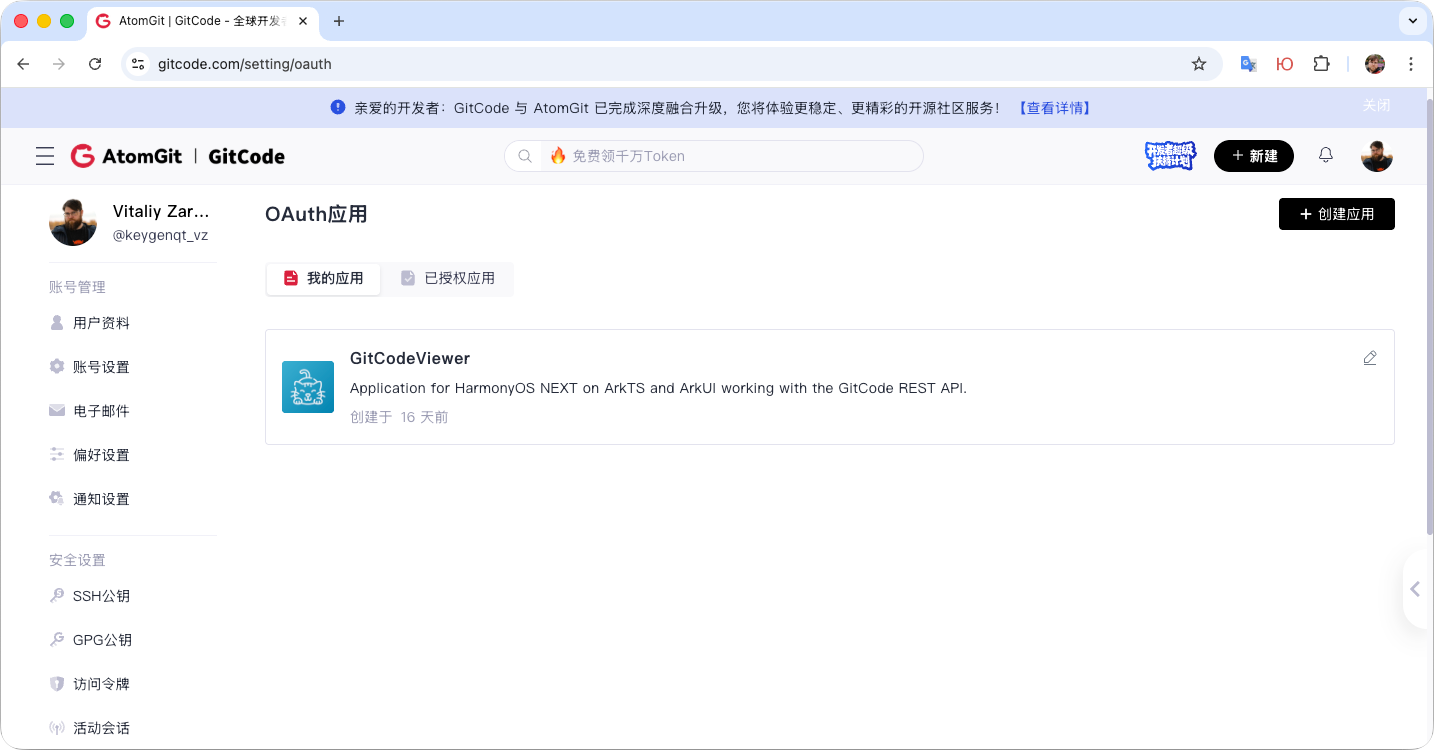
In the adjacent tab, you can find apps you've subscribed to – you can unsubscribe there if desired. The settings are simple, but there's one important field – the redirect URL (应用回调地址). For app registration, we direct the user to the authorization page; after successful authorization, GitCode will redirect the user to the redirect page with data, which the app must handle.
Such a redirect can be handled by the app in two ways: WebView or Deeplink. WebView is the poor man's way. It's simple, but the main downside is that the user will always have to authorize on the resource. The external browser has saved sessions and the user may already be authorized on the resource, they won't have to enter login and password each time. My choice is Deeplink and external browser.
Deeplink
To add a Deeplink, we need a website that will redirect the user from the browser to the app. I won't teach how to write websites; a simple HTML page that redirects to the Deeplink is enough. GitCode itself won't let you specify a Deeplink in the redirect field:
<!DOCTYPE html>
<html>
<head>
    <meta name="viewport" content="width=device-width, initial-scale=1" />
    <title>Welcome!</title>
    <style>
        /* ... */
    </style>
</head>
<body onload="doOpenLink()">
    <table class="Root-Table">
        <tr class="Root-Tr">
            <td class="Root-Td">
                <div class="Box">
                    <h1> Welcome! </h1>
                    <div class="Icon">
                        <img src="https://raw.gitcode.com/keygenqt_vz/foreground.png"/>
                    </div>
                    <div style="margin-bottom: 30px;">
                        Authorization was successful, to complete it, go to the application.
                    </div>
                    <div onclick="doOpenLink()" class="Link">
                        Go to the application
                    </div>
                </div>
            </td>
        </tr>
    </table>
</body>
</html>

<script>
    function doOpenLink() {
        window.location.href = "link://ohos-gitcode.keygenqt.com" + window.location.search
    }
</script>
The Deeplink on the page is link://ohos-gitcode.keygenqt.com, redirection happens automatically, and the user can also click the button if they ignored the automatic redirect. To add Deeplink to the app, specify in the module.json5 file that we want to open the host ohos-gitcode.keygenqt.com:
{
//...
"abilities": [
  {
    "name": "EntryAbility",
    "srcEntry": "./ets/entryability/EntryAbility.ets",
    "description": "$string:EntryAbility_desc",
    "icon": "$media:layered_image",
    "label": "$string:EntryAbility_label",
    "startWindowIcon": "$media:layered_start_icon",
    "startWindowBackground": "$color:start_window_background",
    "exported": true,
    "skills": [
      {
        "entities": [
          "entity.system.home"
        ],
        "actions": [
          "ohos.want.action.home",
          "ohos.want.action.viewData",
          "ohos.want.action.sendToData"
        ],
        "uris": [
          {
            "scheme": "link",
            "host": "ohos-gitcode.keygenqt.com"
          }
        ]
      }
    ]
  }
]
//...
}
After this, when trying to open the Deeplink link://ohos-gitcode.keygenqt.com, our app will be suggested. And the redirect can be received in the EntryAbility class in the onNewWant method:
export default class EntryAbility extends UIAbility {
  // ...
  onNewWant(want: Want, launchParam: AbilityConstant.LaunchParam) {
    let uri = want?.uri;
    if (uri && uri.includes("ohos-gitcode.keygenqt.com")) {
      let urlObject = url.URL.parseURL(want?.uri);
      let code = urlObject.params.get('code');
      // Auth user by code...
    }
  }
  // ...
}
GitCode redirects to the website specified for the redirect. The site will open a Deeplink with the authorization code from the redirect. Getting it, you can make a request and get tokens, with which you can then call the API. Let's make a request and get authorization data.
HTTP request
For requests, I used the @ohos/axios package – a library for handling network requests. To make requests, you need to add permissions in module.json5:
{
  "module": {
    // ...
    "requestPermissions": [
      {
        "name": "ohos.permission.INTERNET",
        "reason": "$string:reason_permission_internet",
        "usedScene": {
          "abilities": ["EntryAbility"],
          "when": "always"
        }
      }
    ]
    // ...
  }
}
Now we can finish authorization in the onNewWant method:
export default class EntryAbility extends UIAbility {
  // ...
  onNewWant(want: Want, launchParam: AbilityConstant.LaunchParam) {
    let uri = want?.uri;
    if (uri && uri.includes("ohos-gitcode.keygenqt.com")) {
      let urlObject = url.URL.parseURL(want?.uri);
      let code = urlObject.params.get('code');
      // Auth by code
      axios.post<AuthModel, AxiosResponse<AuthModel>, null>(Links.auth_token(code))
        .then((response: AxiosResponse<AuthModel>) => {
          // Save auth data
          saveAuthModel(response.data);
          // Get user data
          axios.get<UserModel, AxiosResponse<UserModel>, null>(Links.user())
            .then((response: AxiosResponse<UserModel>) => {
              // Save user data
              saveUserModel(response.data);
            })
            .catch((_: AxiosError) => AppStorage.delete(Storage.userData))
        })
        .catch((_: AxiosError) => AppStorage.delete(Storage.authCode))
    }
  }
  // ...
}
Here we perform a POST request to get tokens. I form links in methods of the Links class:
export class Links {
  static auth_token(code: string | null) {
    return `https://gitcode.com/oauth/token?grant_type=authorization_code&code=${code}&client_id=${BuildProfile.clientId}&client_secret=${BuildProfile.clientSecret}`;
  }

  static user(): string {
    const link = `https://api.gitcode.com/api/v5/user?access_token=${getAuthModel()?.access_token}`;
    console.debug(link)
    return link
  }
}
axios accepts a model interface and upon successful execution returns the model:
export interface AuthModel {
  access_token: string,
  expires_in: number,
  refresh_token: string,
  scope: string,
  created_at: string,
}
We save the authorization model with encryption and execute a request for user data. Having received all necessary data and saved them in AppStorage, the state of data on the page with @StorageLink changes, and we can react to this by changing the page state.
The
axiospackage works great, it's convenient, but I discovered one unpleasantness... It doesn't supportPATCH(issues/361). I don't often seePATCHmethods in REST API, but GitCode had one. For one request – saving settings, I used rcp to execute it. I hope they fix this inaxios.
To control page states, I wrote a component that solves the issue of code duplication on each page – PageBodyState.
Page State
Each page has network requests to get fresh data. A request can be successful or not, the token lifespan may expire, there's waiting for a response on the page. For all these tasks, I made a component that is common to all pages and displays all necessary states:
import lottie from '@ohos/lottie';
import { PageState } from "../enums"
import { common } from '@kit.AbilityKit';
import { Links, Storage } from '../constants';
import { UserModel } from '../models';

@Component
export struct PageBodyState {
  @Require
  @Prop  state: PageState | object | null;

  @Require
  @BuilderParam content: () => void

  @StorageLink(Storage.authCode) authCode: boolean = false;
  @StorageLink(Storage.userData) userData: UserModel | null = null;

  stateAuth: () => void = () => {}
  stateAuthLoading: () => void = () => {}
  stateLoading: () => void = () => {}
  stateError: () => void = () => {}

  build() {
    if (!this.authCode && this.userData === null) {
      Column() {
        this.bodyAuth()
      }
      .width('100%')
      .height('100%')
      .onAttach(() => {
        this.state = PageState.Loading
        this.stateAuth()
      })
    }
    else if (this.authCode && this.userData === null) {
      Column() {
        this.bodyLoading()
      }
      .width('100%')
      .height('100%')
      .onAttach(this.stateAuthLoading)
    }
    else if (this.state === PageState.Loading) {
      Column() {
        this.bodyLoading()
      }
      .width('100%')
      .height('100%')
      .onAttach(this.stateLoading)
    }
    else if (this.state === PageState.Error) {
      Column() {
        this.bodyError()
      }
      .width('100%')
      .height('100%')
      .onAttach(this.stateError)
    } else {
      Column() {
        this.content()
      }
      .width('100%')
      .height('100%')
    }
  }

  @Builder
  bodyAuth() {
    // Body auth
  }

  @Builder
  bodyLoading() {
    // Body loading
  }

  @Builder
  bodyError() {
    // Body error
  }
}
The component can also listen to data states in AppStorage and display the needed content. We can also manage states from the page by applying PageBodyState on it:
import axios, { AxiosError, AxiosResponse } from "@ohos/axios";
import { common } from '@kit.AbilityKit';
import { PageBodyState } from "../../base/components";
import { Links, Storage } from "../../base/constants";
import { PageState } from "../../base/enums";
import { UserModel } from "../../base/models";

@Component
export struct PageUser {
  @Consume('navStack') navStack: NavPathStack;

  @StorageLink(Storage.userData) userData: UserModel | null = null;

  @State pageState: PageState = PageState.Loading;

  build() {
    NavDestination() {
      PageBodyState({state: this.pageState, stateLoading: () => {
        this.queryModel()
      }}) {
        this.bodyModel()
      }
    }
    .title($r('app.string.PageUser_title'))
    .onBackPressed(() => this.navStack.pop() !== undefined)
  }

  queryModel() {
    axios.get<UserModel, AxiosResponse<UserModel>, null>(Links.user())
      .then((response: AxiosResponse<UserModel>) => {
        this.userData = response.data
        this.pageState = PageState.Ready
      })
      .catch((_: AxiosError) => this.pageState = PageState.Error);
  }

  @Builder
  bodyModel() {
    Refresh({ refreshing: this.pageState == PageState.Refresh }) {
      Scroll() {
        // Body content
      }
    }
    .height('100%')
    .onStateChange((refreshStatus: RefreshStatus) => {
      if (refreshStatus == RefreshStatus.Refresh) {
        this.pageState = PageState.Refresh
        this.queryModel()
      }
    })
    .refreshOffset(64)
    .pullToRefresh(true)
  }
}
Opening the PageUser page, we start with the PageState.Loading state, PageBodyState calls the stateLoading method, and the request for user data is executed. Depending on the result, we set the state to PageState.Ready or PageState.Error. The ArkUI Refresh component allows refreshing the page without changing the global state; for this, there's PageState.Refresh. This way, we eliminate code duplication and standardize the approach to page states with one component.
Note the data update
this.userData = response.dataafter a successful request – it will update throughout the app.
Now we have all the basic building blocks for app development. All ArkUI components can be found in the documentation – quite detailed and with examples.
Done
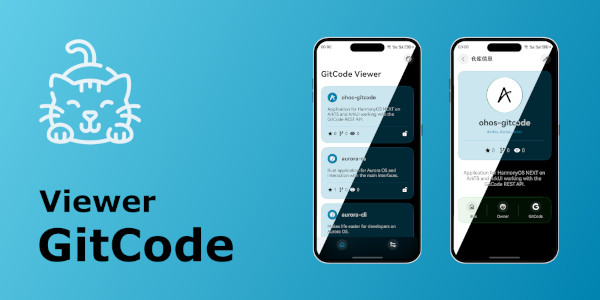
I didn't describe the entire app; it's available on GitCode for independent study. I outlined the basic nuances. It's time to share general impressions – it's cool. Not without problems, there are some strange concepts, but everything I've ever done with iOS and Android for similar demo apps, I easily implemented on ArkTS/ArkUI. To write apps, you need a phone and macOS (Windows doesn't count, they'll figure it out somehow) – their absence can be a problem. Documentation in three languages is great; not many can boast that. Although there are examples in the documentation, finding something online is difficult, articles are few, and the language on foreign resources is strictly designated as TypeScript – apparently, they don't know there's also ArkTS. I only dipped a little into the platform, but overall, the feelings are good, you're on the right path, comrades.